Warning: Only run custom agent skills you trust.
Custom agent skills are a powerful feature of RealTimeX, but they can also be dangerous if misused.
Always make sure to test your skills thoroughly before using them in a production environment & never install untrusted code on any machine.
Introduction to custom agent skills
RealTimeX allows you to create custom agent skills that extend the capabilities of your @agent invocations with local code. These skills can be anything from a simple API call to an operating-system task, depending on how your RealTimeX environment is configured.
Depending on how you run RealTimeX, a custom skill can launch extra processes, call local scripts, or integrate with systems that are not covered by the default tool surface.
If it can be done in NodeJS, it can likely be done in RealTimeX.
The current state of custom agent skills
Custom agent skills are an advanced feature. The contract is stricter than normal prompt, flow, or workspace-skill customization, so expect to validate the manifest, handler shape, and runtime behavior carefully before using a skill broadly.
Please report any feature requests or bugs you find to the GitHub repository (opens in a new tab).
- NodeJS programming experience is required to create custom agent skills. Go to the developer guide to get started.
- Custom agent skills must exactly match the requirements listed on this help page.
- There are built in functions and utilities to help you log data or thoughts for an agent.
- There is currently no established tooling for creating custom agent skills - so follow this guide if developing skills for RealTimeX.
- All skills must return a
stringtype response - anything else may break the agent invocation.
Availability
Custom agent skills are available only in RealTimeX environments that support local filesystem-backed agent skill loading.
If your current deployment does not expose an Agent Skills surface or a local skill directory, use plugins, flows, or workspace agent skills instead.
Cloud-only or tightly managed deployments may support agents without exposing direct custom skill loading.
View loaded custom agent skills
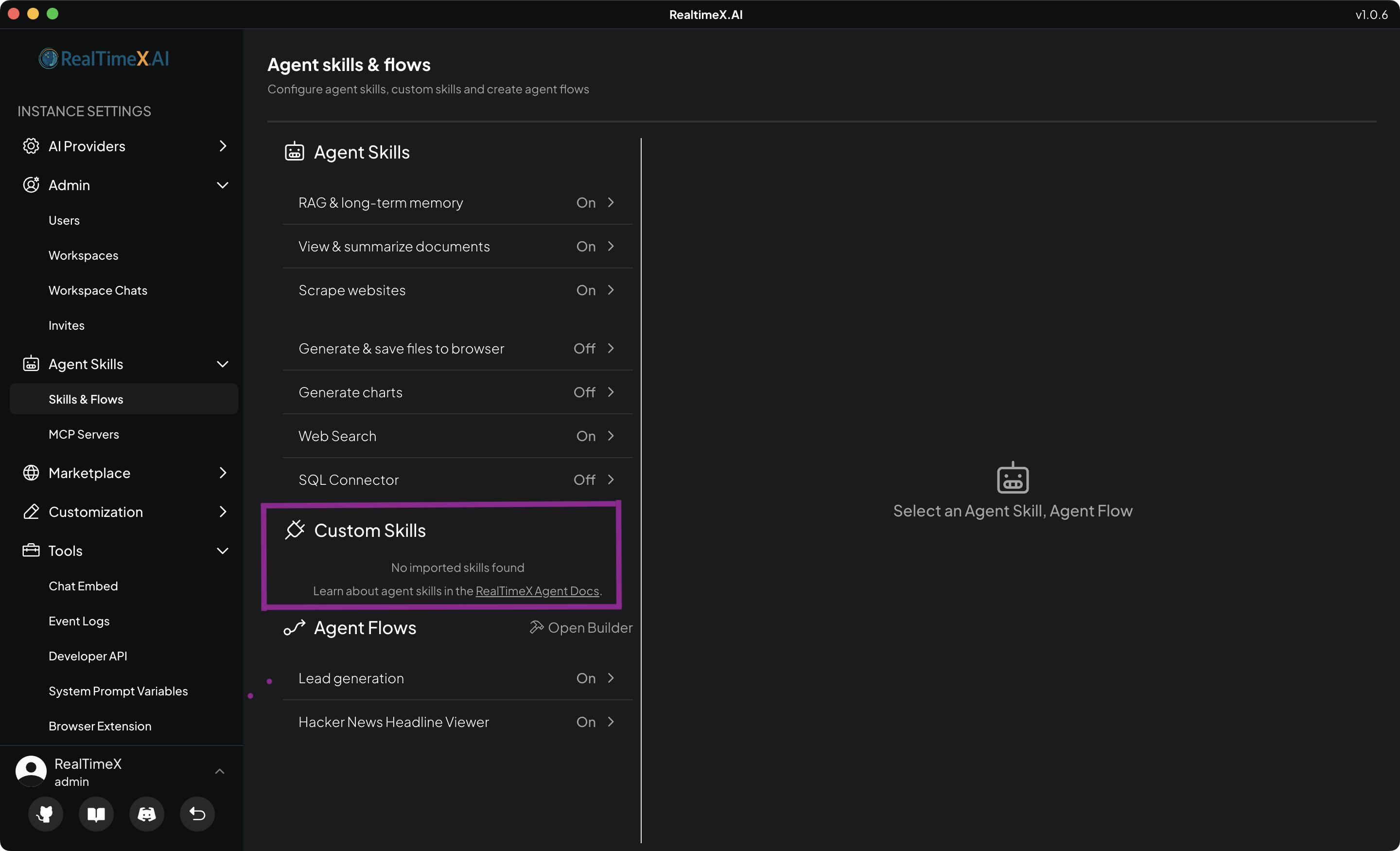
You can view the loaded custom agent skills by opening the Agent Skills area in the RealTimeX settings.
Any valid custom agent skills loaded into RealTimeX will be displayed there. If that area is not present in your current build or deployment, custom agent skill loading is not available in that environment.
See where to place your custom agent skills for more information.
Dynamic UI of custom agent skills
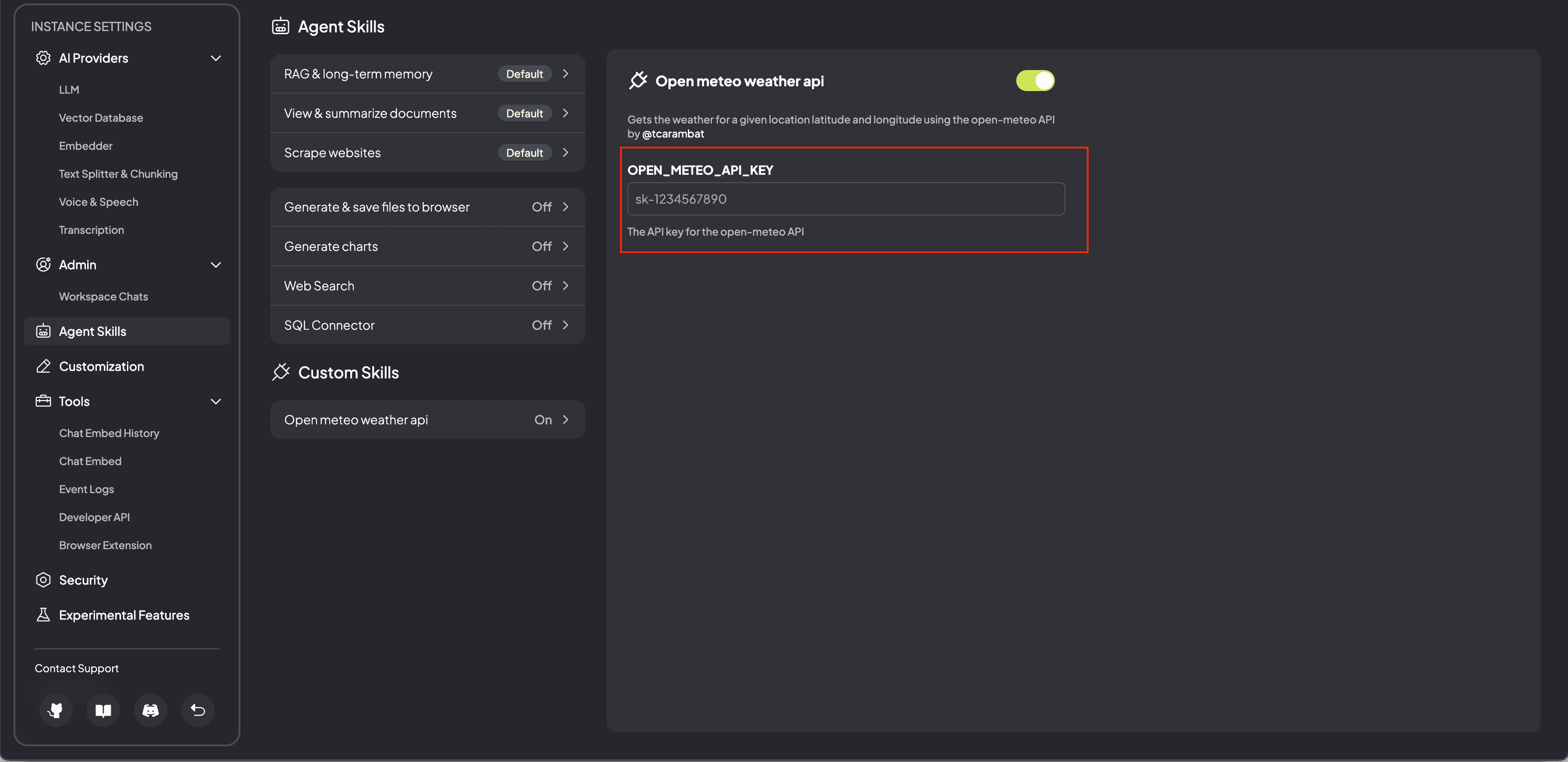
Custom agent skills can also have a dynamic UI inputs associated with them. This is useful for providing runtime arguments to your custom agent skills or configurable properties of them.
See how the dynamic UI for a custom agent skill is setup via the plugin.json file.